Understanding Hearing Aid Programs and Settings
Demystify hearing aid programs and settings. Learn how to switch between modes for different listening environments and personalize your experience.
Demystify hearing aid programs and settings. Learn how to switch between modes for different listening environments and personalize your experience.
Understanding Hearing Aid Programs and Settings
Hey there! So, you've got your new hearing aids, and you're probably wondering what all those buttons and settings are for. It can feel a bit like learning to fly a spaceship at first, right? But trust me, understanding your hearing aid programs and settings is key to getting the most out of your devices. It's all about personalizing your listening experience so you can hear clearly and comfortably in various situations. Let's dive in and demystify this together!
What Are Hearing Aid Programs and Why Do They Matter for Optimal Hearing?
Think of hearing aid programs as different 'modes' or 'presets' for your devices. Just like your smartphone has different settings for taking photos (portrait, landscape, night mode), your hearing aids have different programs designed to optimize sound in specific listening environments. Your audiologist usually sets these up during your fitting, but knowing how to use them and when to switch can dramatically improve your hearing experience.
Why do they matter? Because a noisy restaurant is very different from a quiet living room. What works perfectly in one setting might be overwhelming or insufficient in another. Programs allow your hearing aids to adapt, focusing on speech, reducing background noise, or enhancing music, depending on where you are. This adaptability is crucial for maintaining good communication and comfort throughout your day.
Common Hearing Aid Programs and Their Best Use Cases for Clear Sound
Most modern hearing aids come with several standard programs. Let's break down the most common ones:
1. The 'Universal' or 'Automatic' Program for Everyday Listening
This is your default, go-to program. Many advanced hearing aids have an automatic program that uses artificial intelligence (AI) to analyze your sound environment and adjust settings on the fly. It's designed to work well in most everyday situations, from a quiet conversation to a moderately noisy street. It's great for when you don't want to constantly fiddle with settings.
- Best Use: Daily activities, one-on-one conversations, walking outdoors, general home use.
- Keywords: Automatic adjustment, everyday hearing, general listening, AI-powered.
2. The 'Speech in Noise' Program for Challenging Environments
Ah, the dreaded noisy restaurant or bustling party! This program is specifically designed to reduce background noise and enhance speech clarity. It often uses directional microphones to focus on sounds coming from the front (where the person you're talking to usually is) while suppressing sounds from the sides and back.
- Best Use: Restaurants, crowded gatherings, noisy offices, public transport.
- Keywords: Noise reduction, speech clarity, noisy environments, directional microphones.
3. The 'Quiet Environment' Program for Focused Listening
Sometimes, you just need to hear the subtle sounds. This program minimizes background noise even further than the universal setting, making it ideal for quiet conversations, listening to soft music, or watching TV at home without distractions.
- Best Use: Quiet conversations, watching TV, listening to music at home, reading.
- Keywords: Quiet listening, enhanced clarity, reduced ambient noise, focused sound.
4. The 'Music' Program for Enhanced Audio Experience
Standard hearing aid processing can sometimes make music sound a bit flat or distorted. A dedicated music program is designed to provide a richer, fuller sound experience by widening the dynamic range and often turning off some of the noise reduction features that might interfere with music's natural flow.
- Best Use: Listening to live music, enjoying recorded music, playing an instrument.
- Keywords: Music enhancement, rich sound, dynamic range, audio fidelity.
5. The 'Telecoil' or 'Loop System' Program for Public Venues
Many public venues like theaters, churches, and lecture halls have 'loop systems' that transmit sound directly to your hearing aids via a telecoil (T-coil). This program allows you to bypass the room's acoustics and hear the speaker's voice directly, often with incredible clarity.
- Best Use: Theaters, churches, lecture halls, airports, public transport with loop systems.
- Keywords: Telecoil, T-coil, loop system, direct audio input, public accessibility.
6. The 'Streaming' Program for Direct Audio Connectivity
With Bluetooth connectivity becoming standard, many hearing aids have a streaming program. This activates when you're streaming audio directly from your smartphone, TV, or other devices. It optimizes the sound for direct input, often prioritizing the streamed audio over ambient sounds.
- Best Use: Phone calls, streaming music/podcasts, watching TV with a streamer, video calls.
- Keywords: Bluetooth streaming, direct audio, smartphone connectivity, TV streamer.
How to Switch Between Programs for Seamless Hearing
Switching programs is usually pretty straightforward, but it varies slightly depending on your hearing aid model:
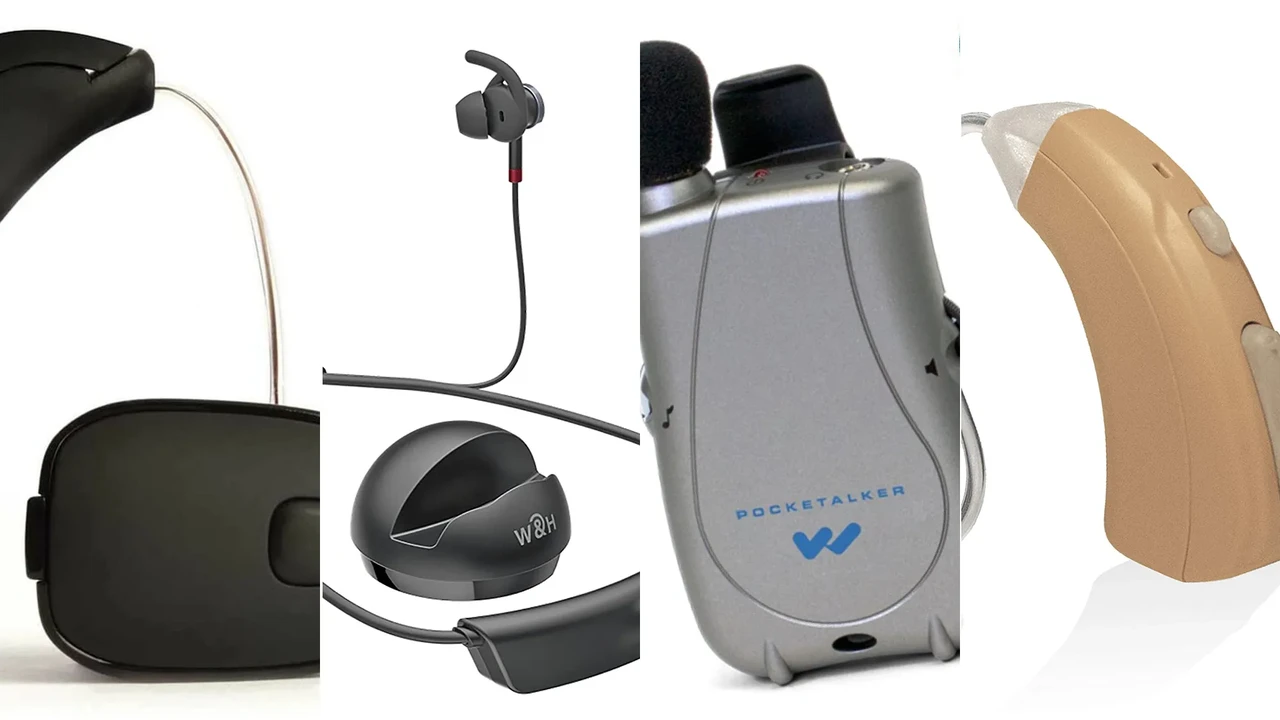
- Buttons on the Hearing Aid: Many devices have a small button (rocker switch or push button) that you press to cycle through your programs. You might hear a series of beeps or a voice prompt indicating which program you're on.
- Remote Control: Some hearing aids come with a small remote control that allows you to change programs and adjust volume discreetly.
- Smartphone App: This is increasingly common and often the most convenient method. Most major brands have a dedicated app that lets you switch programs, adjust volume, and even fine-tune settings directly from your phone.
- Automatic Switching: As mentioned, many premium hearing aids automatically detect your environment and switch programs for you. This is fantastic for hands-free convenience!
It's a good idea to practice switching programs in different environments so you get a feel for how each one sounds and when to use it. Don't be afraid to experiment!
Personalizing Your Hearing Experience Advanced Settings and Customization
Beyond the standard programs, many hearing aids offer advanced settings and customization options, especially through their smartphone apps. This is where you can truly personalize your hearing experience.
Volume Control for Individual Preferences
While programs adjust overall sound processing, volume control lets you fine-tune the loudness. Most hearing aids allow you to adjust volume via buttons on the device, a remote, or the smartphone app. Remember, louder isn't always better; the goal is comfortable clarity.
Tone Control Bass and Treble Adjustments
Some apps allow you to adjust bass and treble settings, similar to an equalizer on a stereo. This can be really useful if you find certain sounds too sharp (reduce treble) or too muffled (increase treble). It's all about finding that sweet spot for your unique hearing.
Directional Focus for Pinpointing Sound Sources
In very noisy situations, some apps allow you to manually adjust the directional focus of your microphones. You can 'point' your hearing aids towards a specific speaker, further reducing surrounding noise and enhancing their voice.
Noise Reduction Levels for Comfort in Loud Places
While programs like 'Speech in Noise' automatically apply noise reduction, some apps let you manually increase or decrease the level of noise reduction. This can be helpful if you find the automatic setting too aggressive or not aggressive enough in a particular environment.
Tinnitus Maskers for Relief and Comfort
If you experience tinnitus, many hearing aids offer built-in tinnitus maskers. These generate a subtle sound (like white noise or ocean waves) to distract from the ringing. You can often adjust the type and volume of this sound through your app.
Recommended Hearing Aid Models with Excellent Program and Setting Customization
When it comes to advanced programs and customization, some brands really stand out. Here are a few top contenders, keeping in mind that prices can vary widely based on technology level, provider, and location:
1. Phonak Paradise Series (e.g., Audeo Paradise P90)
- Key Features: Renowned for its 'AutoSense OS' which automatically adapts to various sound environments with incredible precision. Excellent speech understanding in noise, universal Bluetooth connectivity (connects to virtually any Bluetooth device), and a highly intuitive MyPhonak app for manual adjustments, remote support, and even a 'Speech Focus' feature to pinpoint sound.
- Best Use Cases: Ideal for active individuals who encounter diverse listening situations daily. Great for music lovers and those who frequently use their phone for calls or streaming.
- Estimated Price Range: $2,500 - $7,000 per pair (depending on technology level and provider).
- Why it's great for programs/settings: Its automatic system is top-tier, and the app offers extensive manual control when needed.
2. Oticon More Series (e.g., More 1)
- Key Features: Utilizes a 'Deep Neural Network' (DNN) to process sound, giving the brain access to all relevant sounds, not just speech. This 'BrainHearing' approach aims for a more natural sound experience. Features multiple programs for different environments, and the Oticon ON app allows for personalized sound adjustments, remote control, and even a 'Sound Booster' for specific situations.
- Best Use Cases: Excellent for those who want a more open and natural soundscape, especially in complex environments where traditional noise reduction might feel too restrictive.
- Estimated Price Range: $2,000 - $6,500 per pair.
- Why it's great for programs/settings: Its unique processing offers a different approach to environmental adaptation, and the app provides good user control.
3. ReSound ONE Series (e.g., ONE 9)
- Key Features: Features an innovative M&RIE (Microphone & Receiver-In-Ear) design that places a microphone in the ear canal, utilizing the natural shape of your ear for better sound localization. Offers a wide range of programs, and the ReSound Smart 3D app is highly praised for its user-friendliness, allowing for detailed sound personalization, noise filter adjustments, and even a 'Hear in Noise' program with adjustable focus.
- Best Use Cases: Great for users who prioritize natural sound localization and want a highly customizable experience through a user-friendly app.
- Estimated Price Range: $2,300 - $6,800 per pair.
- Why it's great for programs/settings: The M&RIE design enhances natural hearing, and the app provides granular control over various sound parameters.
4. Starkey Evolv AI Series (e.g., Evolv AI 2400)
- Key Features: Focuses heavily on AI and health tracking. Offers up to 55 million personalized adjustments per hour, automatically adapting to your environment. The Thrive Hearing Control app provides extensive customization, including edge mode for challenging listening situations, fall detection, and activity tracking.
- Best Use Cases: Ideal for tech-savvy users who appreciate advanced AI features, health tracking, and a highly adaptive hearing experience.
- Estimated Price Range: $2,400 - $7,200 per pair.
- Why it's great for programs/settings: Its AI-driven automatic adjustments are very sophisticated, and the app offers unique features beyond just sound control.
5. Widex Moment Series (e.g., Moment 440)
- Key Features: Known for its 'ZeroDelay' technology, which aims to eliminate the artificial sound often associated with hearing aids, providing a more natural and immediate sound experience. Offers various programs, and the Widex Moment app allows for personalized sound adjustments, including a 'SoundSense Learn' feature that uses AI to help you create custom programs based on your preferences.
- Best Use Cases: Excellent for those who are sensitive to the 'hearing aid sound' and want a very natural, pure sound quality.
- Estimated Price Range: $2,200 - $6,700 per pair.
- Why it's great for programs/settings: The ZeroDelay technology is a game-changer for natural sound, and SoundSense Learn empowers users to create truly personalized programs.
Important Note on Pricing: These are estimated ranges and can vary significantly. The final cost often includes the devices themselves, professional fitting fees, follow-up appointments, and warranties. Always consult with an audiologist for precise pricing and recommendations tailored to your specific needs and budget.
Tips for Maximizing Your Hearing Aid Programs and Settings for Better Communication
Now that you know the ins and outs, here are some practical tips to get the most out of your hearing aid programs:
- Work with Your Audiologist: Your audiologist is your best resource. They can explain each program, customize them to your specific hearing loss, and teach you how to use them effectively. Don't hesitate to ask questions during your follow-up appointments.
- Experiment in Different Environments: Don't just stick to one program. Actively try switching programs when you enter a new environment. Pay attention to how each program sounds and feels. This helps you learn which program works best for which situation.
- Use Your Smartphone App: If your hearing aids have an app, download it and get familiar with it. It often provides the most intuitive and discreet way to manage your programs and settings.
- Start Slowly: If you're new to hearing aids, it might take some time to get used to all the sounds. Don't feel pressured to master every program on day one. Gradually introduce yourself to different settings.
- Give Feedback: Keep a mental note (or even a physical one!) of situations where your hearing aids performed well and where they struggled. Share this feedback with your audiologist so they can make further adjustments to your programs.
- Clean Your Hearing Aids Regularly: Even the best programs won't help if your hearing aids are clogged with wax or debris. Regular cleaning ensures optimal performance.
- Be Patient: Adapting to hearing aids and learning their programs is a journey, not a sprint. Be patient with yourself and your devices. The effort you put in will pay off with significantly improved hearing and quality of life.
Understanding and utilizing your hearing aid programs and settings is a powerful tool in your hearing journey. It empowers you to take control of your listening experience, ensuring you can engage confidently and comfortably in all aspects of your life. So go ahead, explore those settings, and enjoy the world of sound!
:max_bytes(150000):strip_icc()/277019-baked-pork-chops-with-cream-of-mushroom-soup-DDMFS-beauty-4x3-BG-7505-5762b731cf30447d9cbbbbbf387beafa.jpg)